
Bouclier
Status: Website live · App Store in review
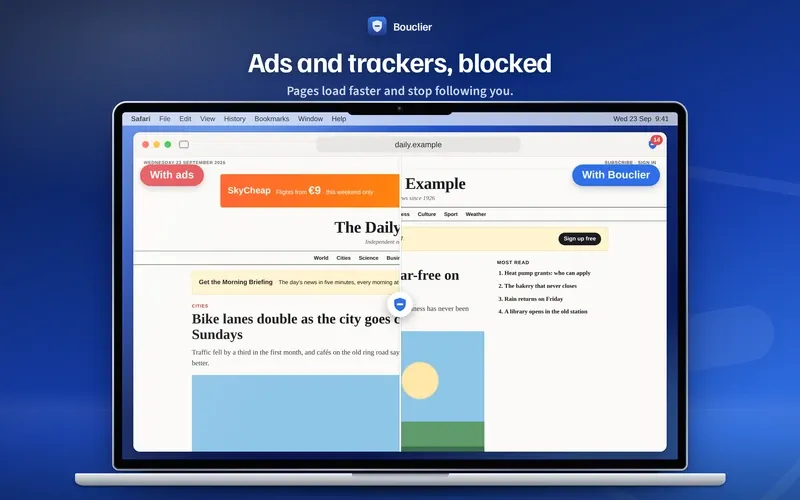
Bouclier is an ad blocker for Safari, Chrome, Edge and Firefox, and for your whole Android phone. In the browsers, the browser applies its rules itself, so pages open faster, use less data, and Bouclier never sees the sites you visit.
- One purchase for Mac, iPhone and iPad
- In English and French
- No data collected

In pictures
On Mac, iPhone and iPad
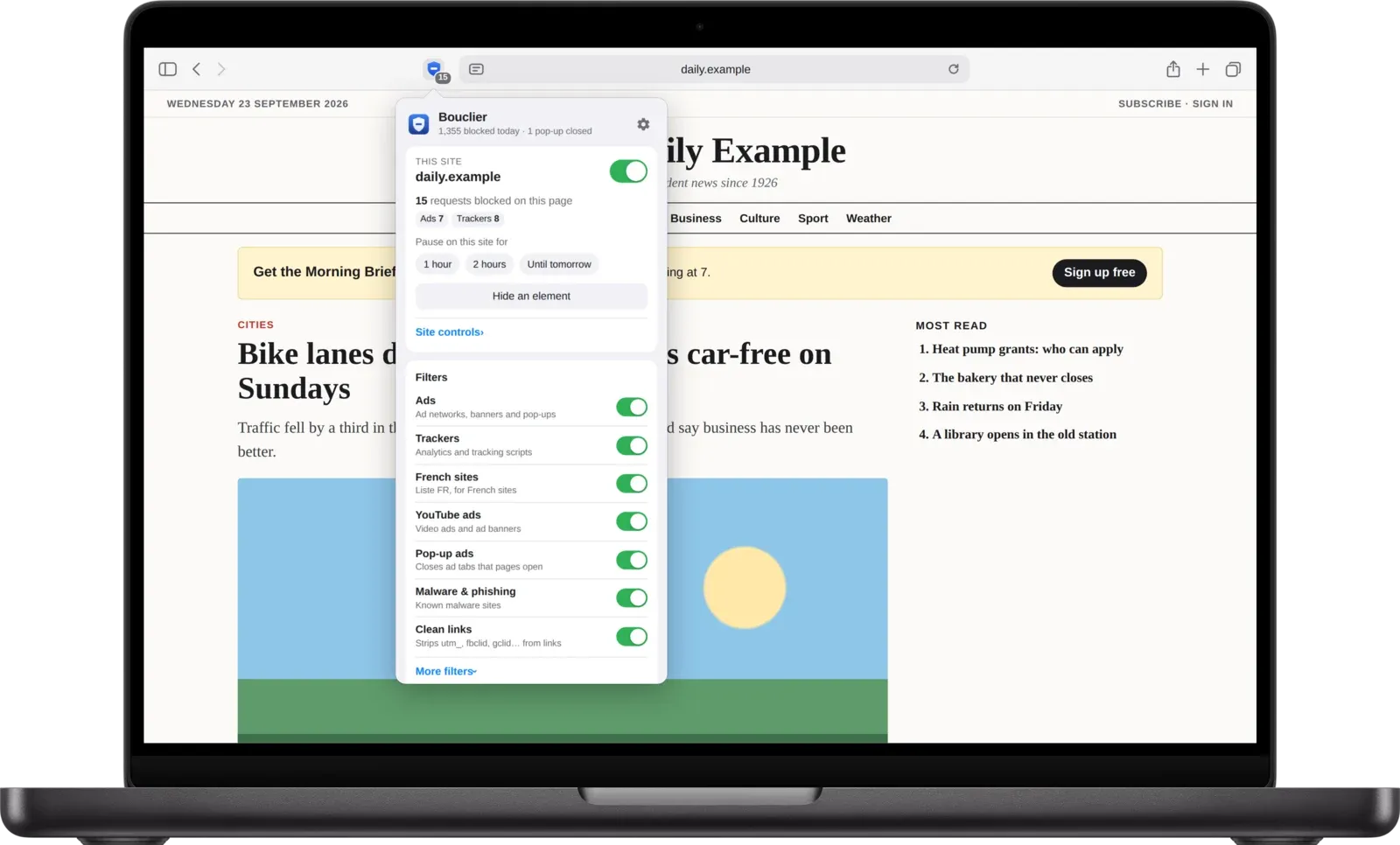
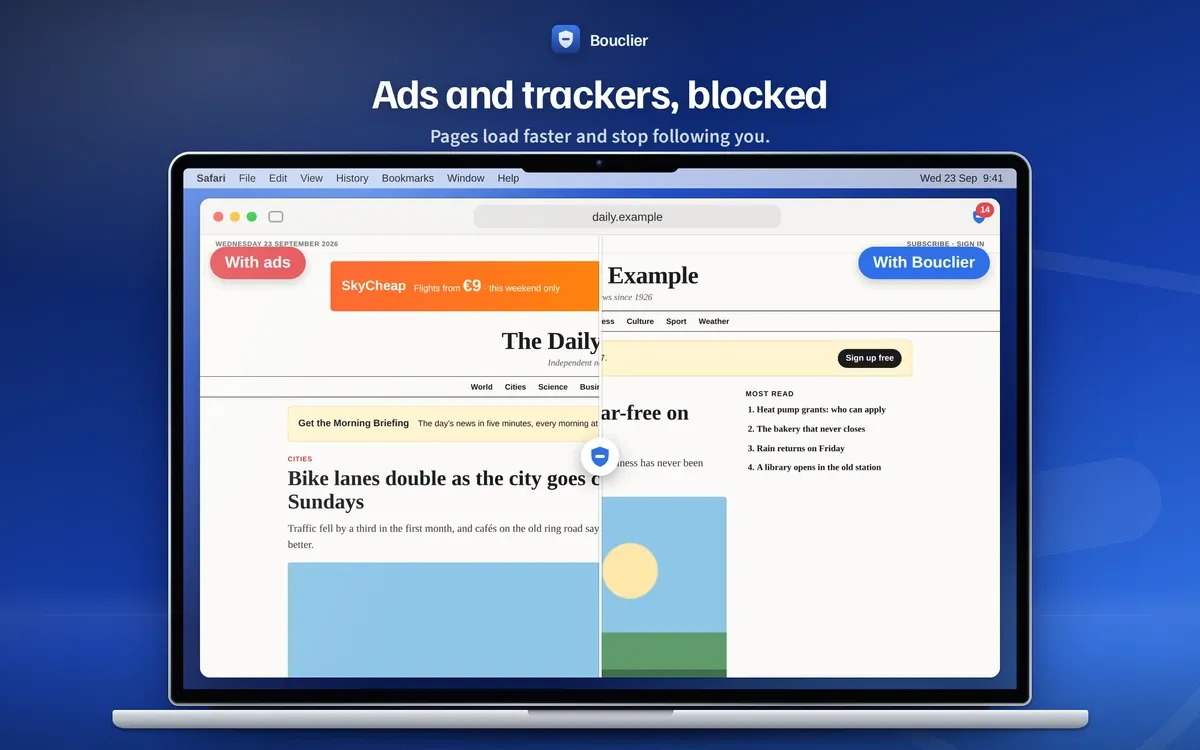
Safari on Mac blocks ads, trackers, pop-up ads and malware sites. Allowed on all websites, it also removes video ads on YouTube and hides the empty ad spaces.
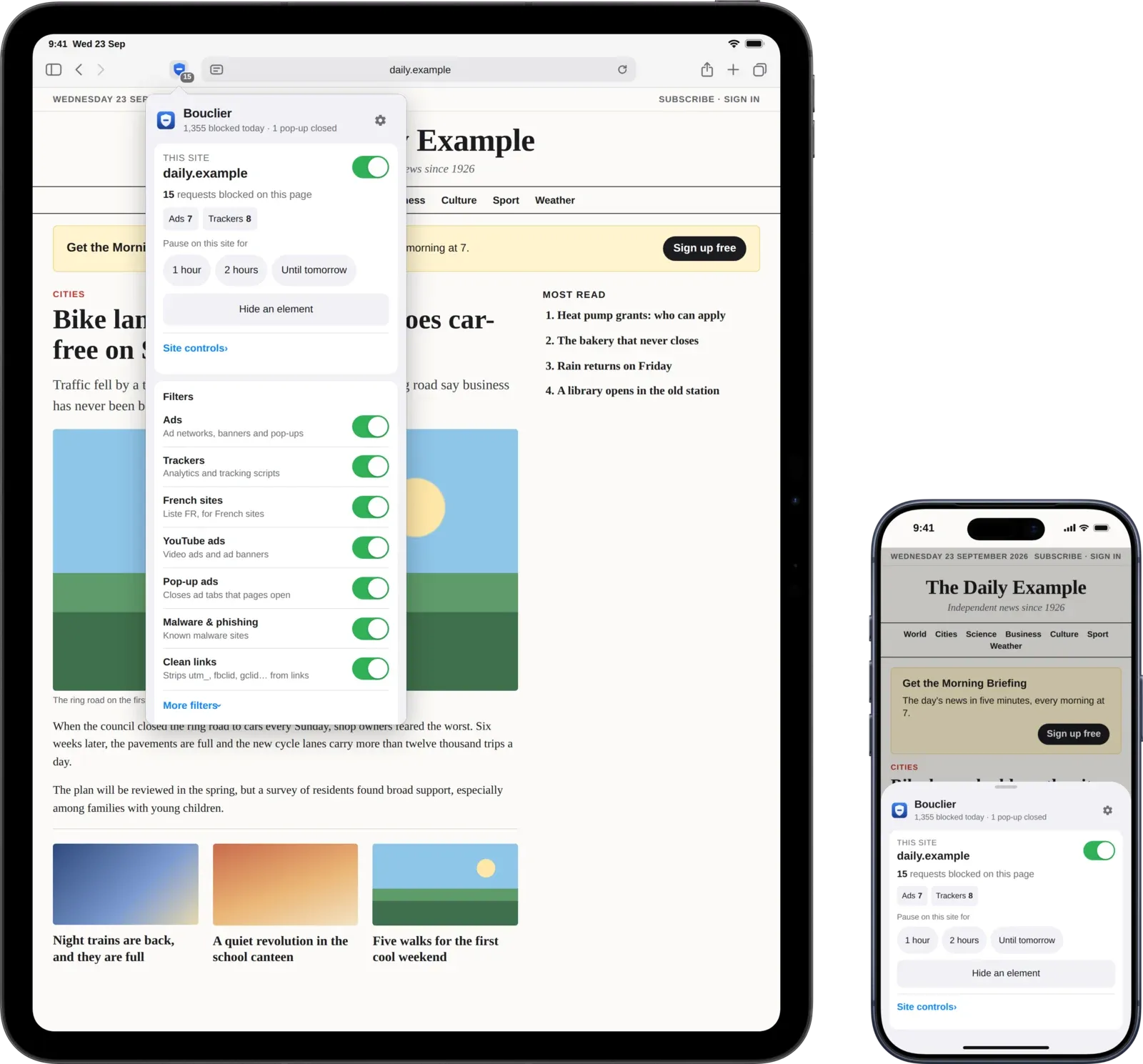
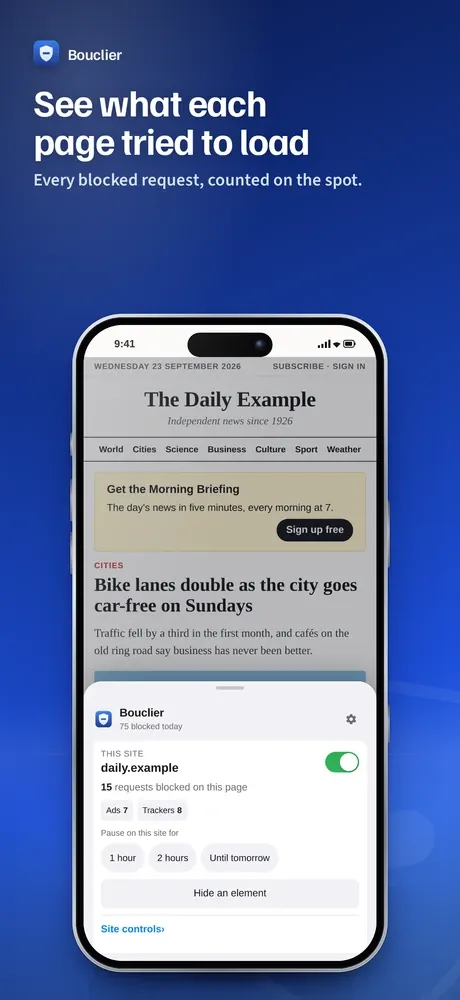
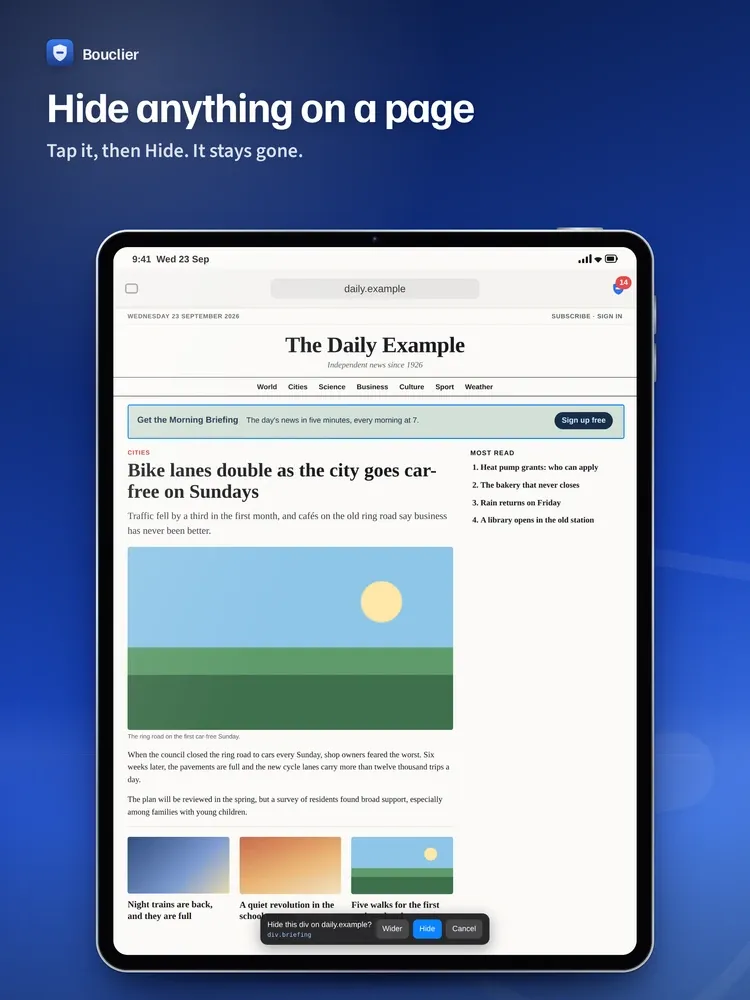
On iPhone and iPad, open the page menu in Safari’s address bar and tap Bouclier: see what was blocked, pause the site for 1 hour, 2 hours or until tomorrow, or hide an element. When the pause ends, protection comes back by itself.
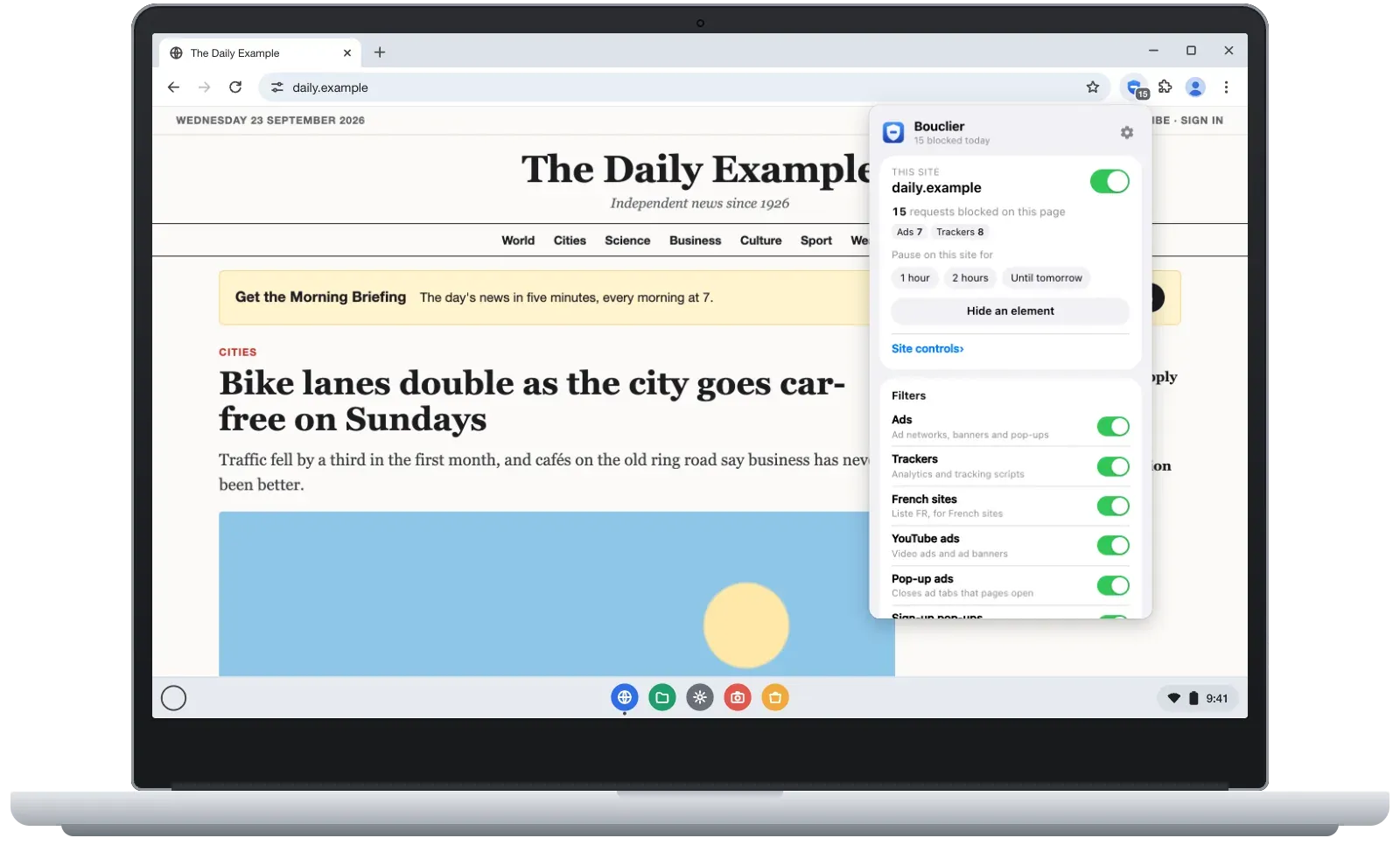
Also for Chrome, Edge, Firefox and Android
The same blocking and the same menu in your computer’s other browsers. Free for 7 days, then one payment of €1.99 unlocks it in all your browsers, for good. Already bought Bouclier on the App Store? Your code is free: open the app and choose “Get my free code”.
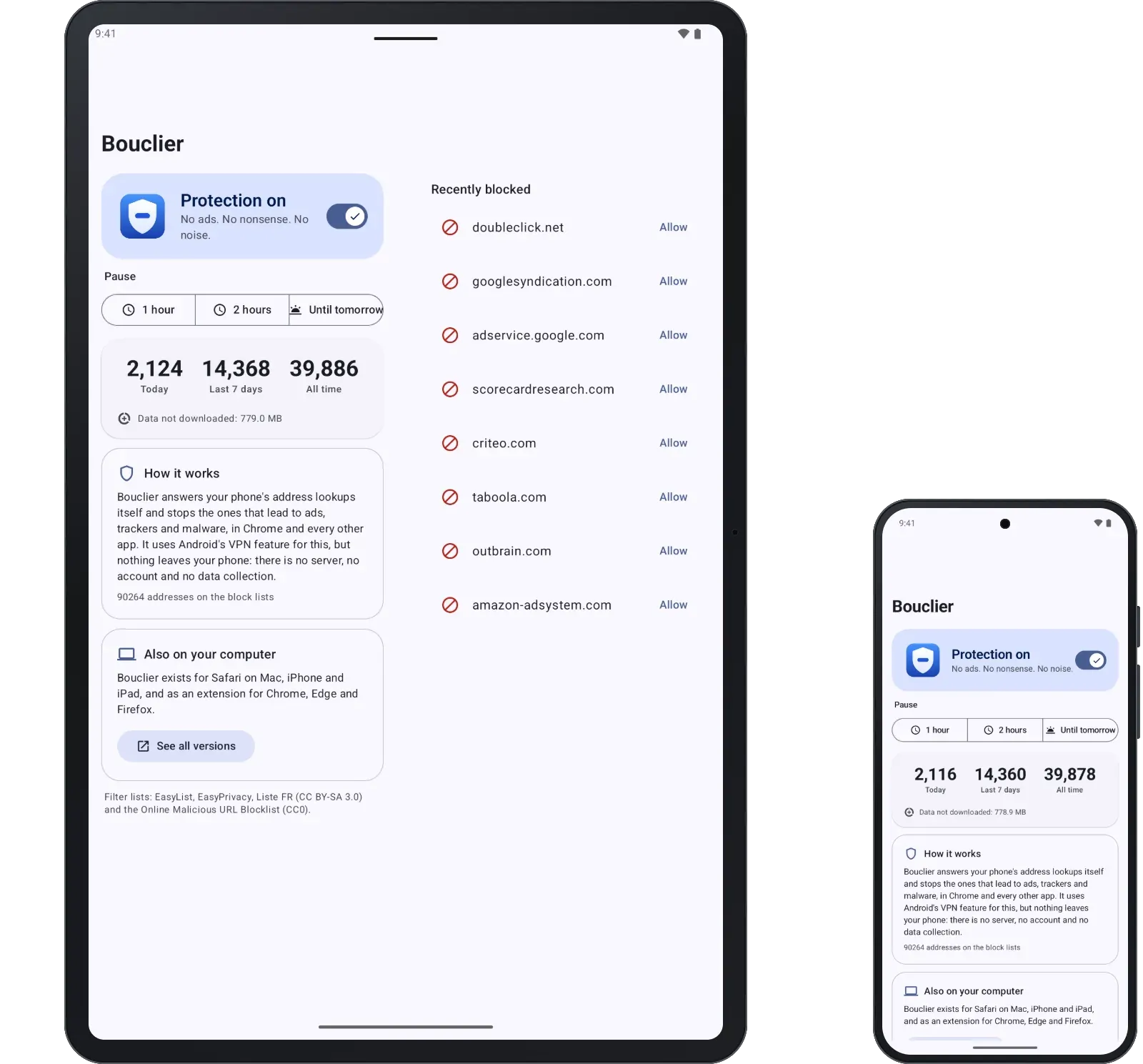
On Android phones and tablets, Bouclier blocks ads, trackers and malware sites in Chrome and in every app, on the device itself: no server, no account. It works at the address level, so empty ad spaces can remain and YouTube’s video ads stay. Google Play does not allow apps that block ads in other apps, so the Android app is downloaded directly (Android 8 or newer).
Blocks
- Ads and ad networks, and the empty spaces they leave
- Trackers and analytics scripts
- Pop-up ads that open new tabs
- Malware and phishing sites
- “Turn off your ad blocker” walls
- Video ads
- “Subscribe” and “sign up” pop-ups: closed for you (never a paywall)
- Optional: cookie banners, social buttons, newsletter pop-ups
- Clean links: tracking tags such as utm_source, fbclid and gclid are removed before the page loads
You stay in charge
- See what was blocked on each page
- Turn Bouclier off for one site, or pause it there for 1 hour, 2 hours or until tomorrow
- Page broken? Allow one blocked address, on that site only
- Hide anything on a page, and bring it back later
- Per-site controls for web fonts, scripts from other sites and comments
- Your own filters, in the Adblock Plus format
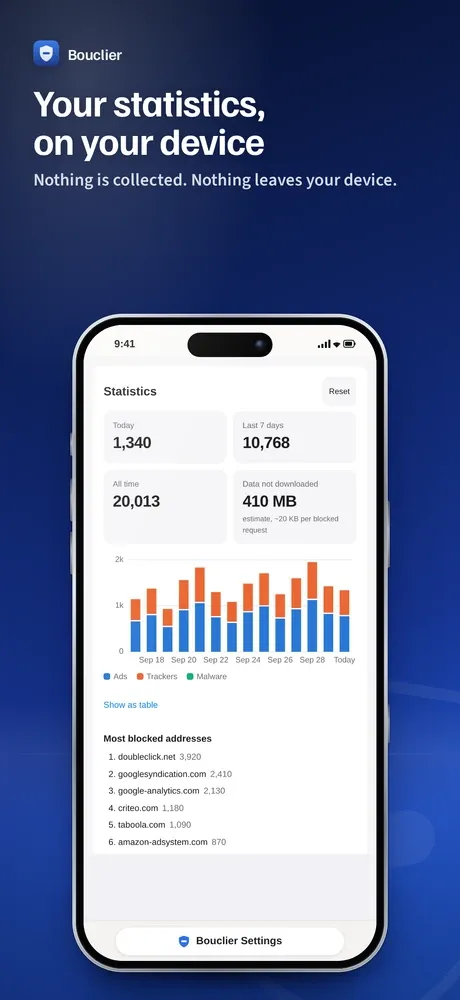
- Statistics: today, this week and all time
- On Mac: right-click menu and keyboard shortcuts
Turn it on
- Mac: open the Bouclier app once, then Safari → Settings → Extensions → tick Bouclier. Click Always Allow on Every Website… (or Edit Websites…, then Allow for other websites). On macOS 12, Safari says Preferences instead of Settings.
- iPhone and iPad: Settings → Apps → Safari → Extensions → Bouclier → turn it on, then set All Websites to Allow. On iOS 16 and 17: Settings → Safari → Extensions.
- Then check it with an independent ad blocker test in Safari: with Bouclier on and allowed on all websites, it shows 100%.
Requirements
Macs with macOS 12 or later (Intel or Apple silicon), iPhone and iPad with iOS or iPadOS 16.4 or later (iPhone 8 and later), Chrome, Edge and Firefox on computers, Android 8 or newer.
The filter lists
Bouclier’s rules are adapted from community lists and shared under the same licences, with its own rules on top for the ad and tracking servers the lists let through. Each update brings fresh lists.
EasyList, EasyPrivacy, EasyList Social and Annoyances and the Adblock Warning Removal List (EasyList authors, CC BY-SA 3.0); Liste FR (Liste FR authors, CC BY-SA 3.0); EasyList Cookie List (EasyList authors, CC BY 3.0); Online Malicious URL Blocklist (malware-filter, with abuse.ch URLhaus data, CC0). The YouTube ad removal is Bouclier’s own code; its approach follows the uBlock Origin project. Bouclier is not affiliated with Apple, Google, Microsoft, Mozilla or any of these projects.
Stack
Swift, Safari Web Extension, Kotlin
Privacy
Last updated 13 October 2026
Bouclier collects no personal data. It has no account, no analytics, no advertising and no tracking, and it sends nothing to its developer or to anyone else, except Apple’s proof of purchase when you ask for your free code (below).
Blocking is done by Safari’s built-in engine: Safari applies Bouclier’s rules itself, so Bouclier never sees the pages you visit. To hide ad spaces, close pop-up ads and remove video ads, Bouclier’s scripts run inside the pages you open, on your device only, and send nothing anywhere.
Statistics (how many requests were blocked, and on which sites and addresses) and your settings, including the sites you paused and the elements you hid, are stored on your device, in Safari’s extension storage. Sites you visit in Private Browsing are not recorded. You can reset the statistics in Bouclier’s settings, and deleting the app deletes everything. Bouclier makes no network requests of its own: new filter lists arrive with app updates.
Only if you choose “Get my free code” (for Bouclier in Chrome, Edge and Firefox), the app opens Bouclier’s payment site in your browser with Apple’s proof that your Apple account bought the app. The site checks that proof with Apple, shows your code and keeps nothing.
Chrome, Edge and Firefox: the extension collects nothing and sends nothing anywhere. Blocking is done by the browser’s built-in engine (declarativeNetRequest). Firefox does not tell extensions what its engine blocked, so there Bouclier notes the addresses Firefox stopped, only to count them; they never leave your computer. Statistics and settings stay in the browser’s extension storage; private windows are not recorded. After a 7-day trial, Bouclier checks its unlock code on your computer, without any server, and keeps it in the browser’s synced storage.
Codes are sold on Bouclier’s payment site through Stripe, which is the seller (Stripe Managed Payments): what you type on the payment page goes to Stripe, under Stripe’s privacy policy. The site then asks Stripe whether the order is paid and shows your code. It has no account, no cookies and no analytics and keeps no record; its host, Vercel, keeps basic request logs. “Invite 3 friends” uses a random reference that names no one.
Android: blocking uses Android’s VPN feature, on the phone only. Bouclier creates a local VPN interface that carries only the phone’s address lookups (DNS); blocked addresses get a “no such name” answer, every other lookup goes to your network’s own DNS server (or to Quad9, 9.9.9.9, when the network offers none Bouclier can use). No other traffic enters the VPN. Counts, the recently blocked list and your allowed sites stay on the phone. The app asks only for the VPN permission and notifications: no contacts, no location, no identifiers.
Support
A page doesn’t work? Open Bouclier from Safari’s toolbar (Mac) or the page menu in the address bar (iPhone, iPad), then turn the site off, or pause it for 1 hour, 2 hours or until tomorrow. Protection comes back by itself. Or click one of the blocked addresses listed there to allow only that address on that site.
Something you hid by mistake: Bouclier’s menu → Show them again.
Still stuck? Write to us and say which device you use and the address of the page.
Write to contact@dcreations.fr · Contact us